GPX editing on a phone
The GPX-Hub is intended for use on a desktop computer and screen.
The same funtionality exists for use on a phone, but the buttons and layout are different. The process can be a little awkward on a small screen but in a pinch it is possible to do most actions.
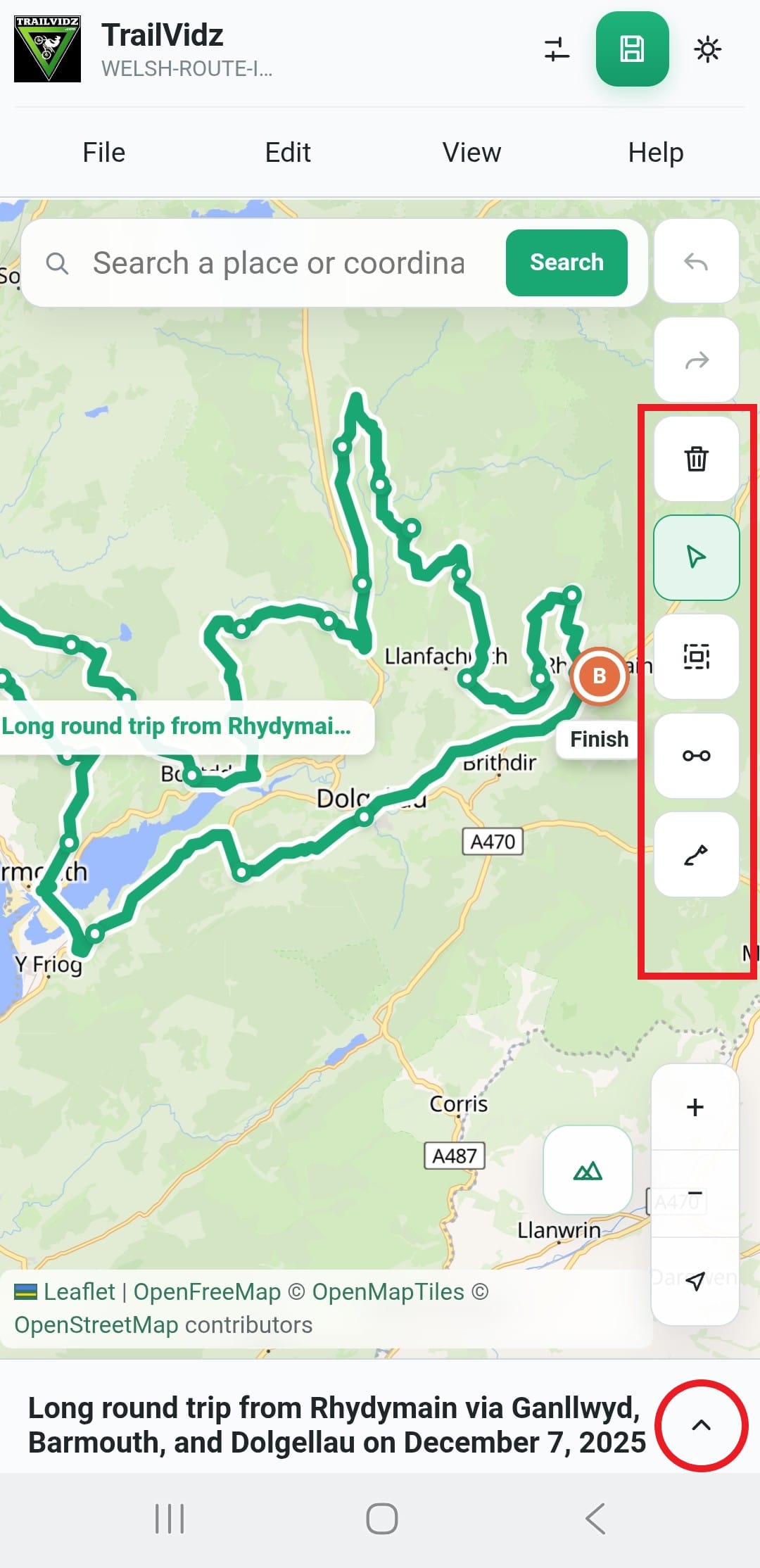
Buttons shown in the red box are: Delete, Select, Area select, Connect points, Draw route.
Use Select to then click and drag existing point, click between separate tracks or select a point for deletion.
Area select uses a 'double-tap and drag'. Use this to select multiple points, ready for deletion.
Red circle: open the Elevation chart.
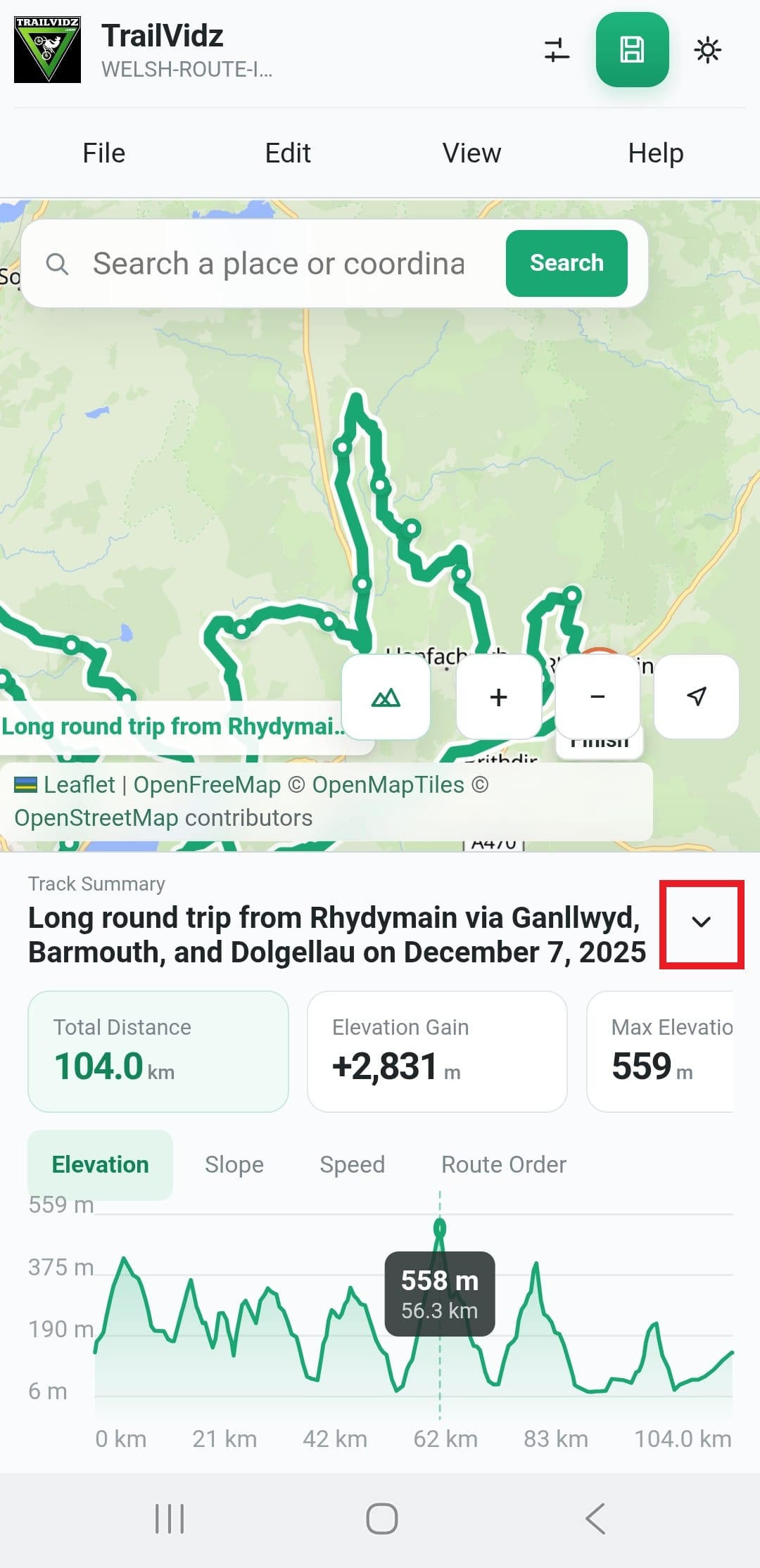
Select points to see them highlighted on the Elevation chart.
Use the arrow button (red box) to close the Elevation chart.
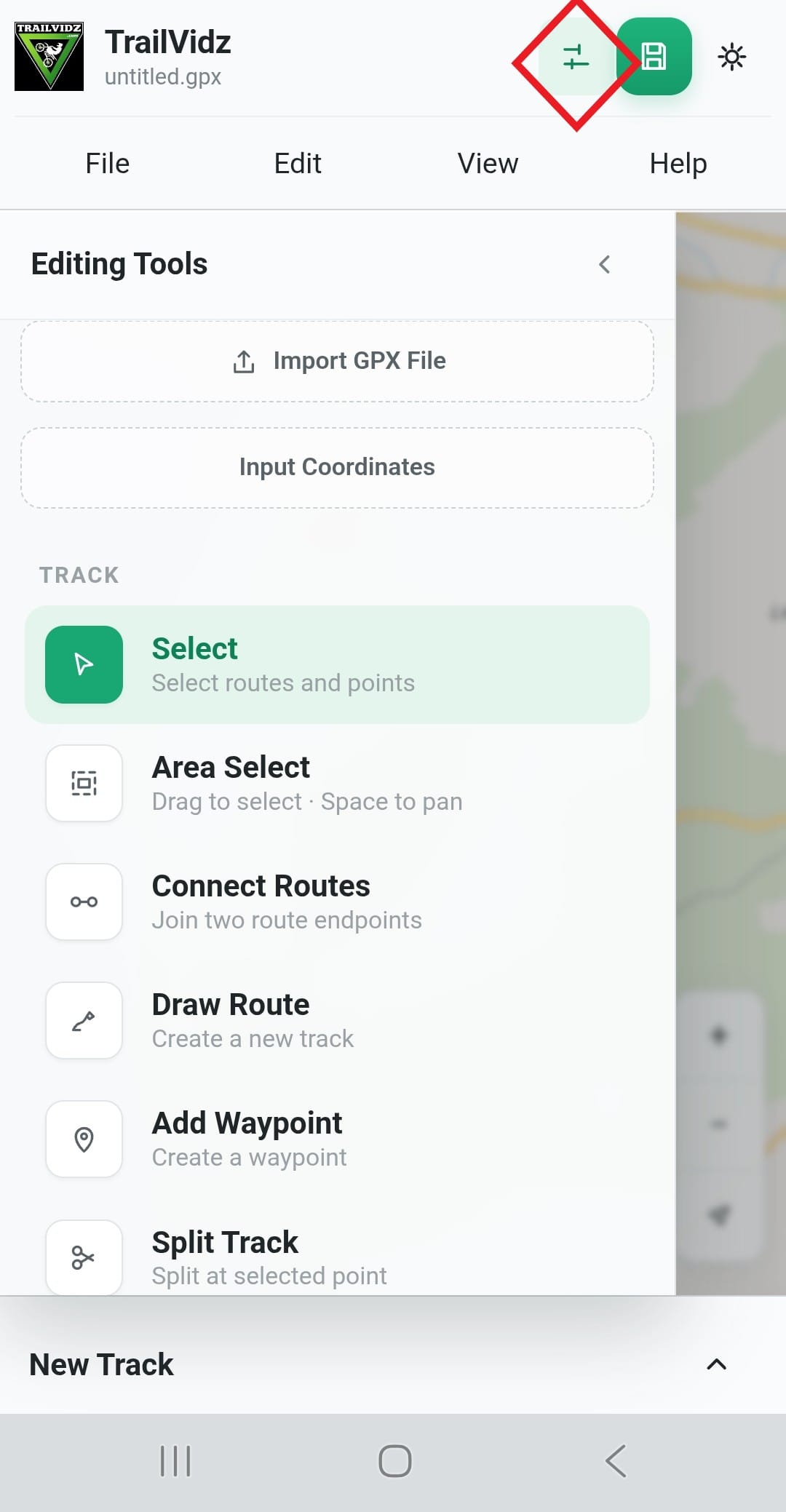
Tools panel (red diamond below) shows ALL tools, listed with icons and text.
Simplify Route is used when a pre-existing GPX file is made from hundreds of points. Press to reduce the number of points and make editing simpler.
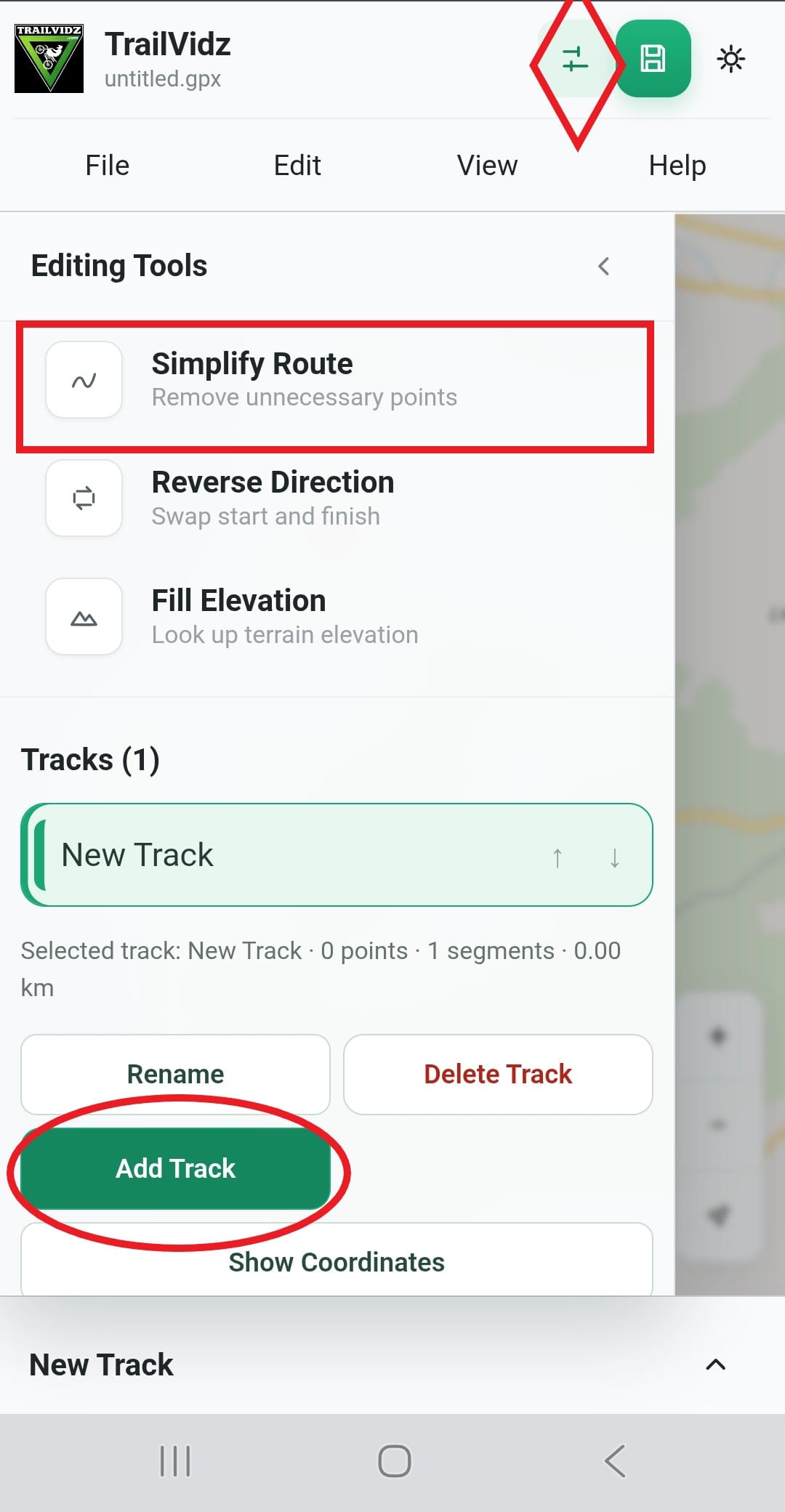
Add a new separate track to the screen using Add Track, then Draw route. Tracks can be saved individually or together in one GPX.
Create a new route.
Tap the Draw route button and then tap the screen to place the first pin.
Each further tap places another pin and the line is automatically extended to join dots.
Every straight line between points has a faint mid-point. Tap this mid point to make it solid. More mid-points appear either side.
Click and drag existing points to re-position them.
Place a point on every corner or turn along the route.
Delete a point.
Use Select mode to pick a point to remove.
When it is hightlighted, hit the Delete button (trash can).
Delete multi-points using Area Select
Use the Area select button. Draw a selection box around multiple points using double-tap and drag. Hit Delete to remove everything within the selected area.
Connect points
If you delete points from the middle of a track, you are left with two separated sections which are part of the one track. To re-connect, select the Reconnect points button, then tap the two points you wish to join.
End points from two separate tracks can be connected.
Mid-points from one track cannot be connected to a separate track.