GPX CREATOR
Use our GPS co-ords in a GPX file
with OutdoorActive (free) and GPSVisualizer
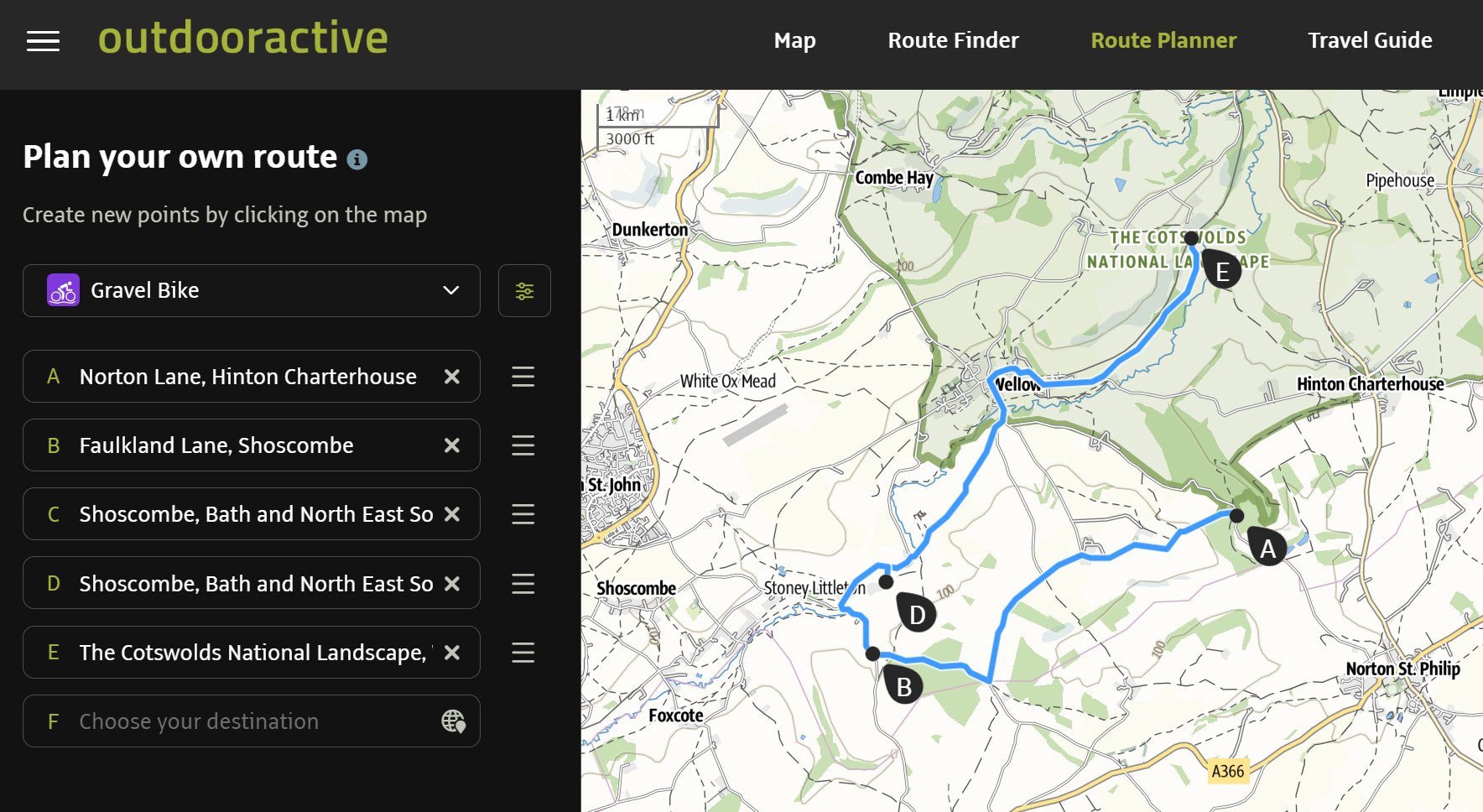
This process uses the GPS co-ordinates from each TrailVidz pin to create a sequential waypoint list which can be converted to a GPX file using GPSVisualizer and then checked/edited in OutdoorActive ready for use in your satnav.
Process Overview:
You'll switch between screens for Notepad, the TrailVidz map and OutdoorActive
Copy/paste a list of GPS co-ords from TrailVidz to a .txt file in NotePad (PC) or TextEdit (iMac).
Convert the .txt file to a GPX file using GPS Visualizer.
Import that GPX file to OutdoorActive.
Tweak it for export to your satnav/Garmin/OsmAnd.
If that's enough info to get you started, open new tabs here for GPS Visualizer and OutdoorActive (free signup required) and start making the Notepad co-ordinate list.
Otherwise see the video below or the detailed instructions below that.
Video explanation: TrailVidz GPX creation process to follow
Detailed instructions (for a desktop PC user)
Go to the GPS Visualizer GPX convertor page, right-click here and open in New Tab.
Select GPX output & click 'File #1' and choose your .txt file. Convert.
You are given a link. Click to download it (or rename it with right-click and Save As...)
Go to OutdoorActive RoutePlanner.
Click Import GPX and choose your saved GPX file.
Check and edit the track; click and drag the blue line to a preferred route.
Save and download the finished GPX.
Copy the GPX file to satnav/Garmin/OsmAnd
Tweaking for export
Be aware that OutdoorActive will 'snap-to-fit' along routes it thinks are best for the chosen mode of transport. There is no adventure bike setting.
It sometimes assumes that a lane you have included should be circumvented. Choose Gravel Bike as the nearest thing to greenlaning. It will allow you down all your desired paths but BE AWARE that it can still choose a route which is not legal for motorised transport. Attention to detail is vital at this stage. Users take full responsibility for the accuracy of their final GPX files.